
BULLPEN & HITTING LESSONS
THE LESSON, ON FILM.
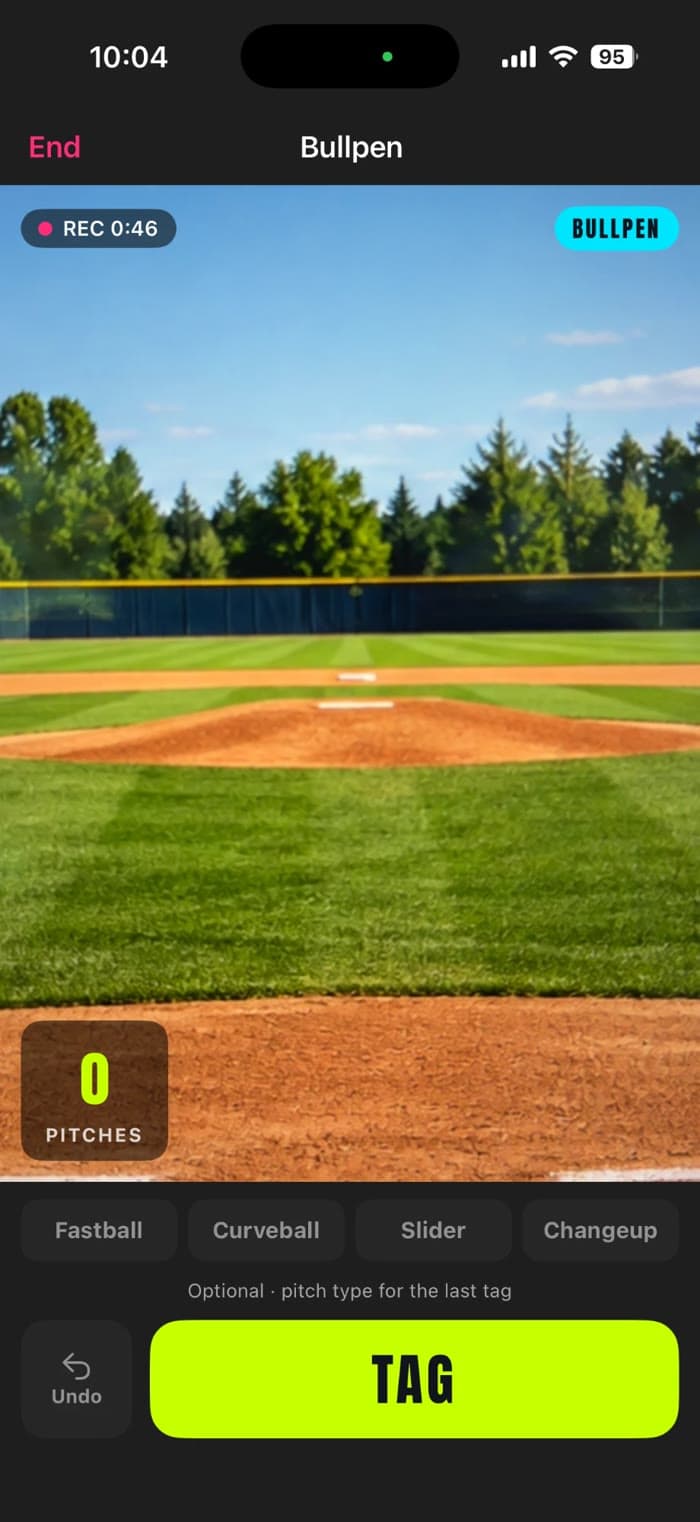
Prospekt records private bullpen and hitting lessons and turns every rep into its own clip. Hold the phone, tap TAG after each pitch or swing, and walk out with the best reps saved, tagged, and ready for a recruiting reel.
One tap per rep
Tap TAG after each pitch or swing. Prospekt cuts a short clip around that moment, so there is no scrubbing through a 45-minute video later.
Built for both lessons
Bullpen lessons can note the pitch type. Hitting lessons track the drill (tee, soft toss, front toss, machine, live BP) and how each ball was hit.
Keep only the best
Star the reps worth keeping when the lesson ends. Only starred clips are saved; the rest of the recording is cleared off your phone.
Straight into the reel
Starred lesson clips sit next to game clips when you build a recruiting reel, and bullpen pitches count toward Arm Care.
THE RUNDOWN
OPEN TRACK, THEN LESSONS
Pick Bullpen or Hitting, add the coach’s name if you like, then Start Lesson. A quick guide shows where to stand for each kind.
TAP TAG AFTER EVERY REP
Tap TAG after each pitch or swing, and Pause during breaks. Add a pitch type on the bullpen side, or switch drills mid-lesson on the hitting side.
STAR THE BEST, THEN SAVE
Review every rep, trim a clip if it starts early or late, and star the keepers. Save uploads just the starred clips to Past Lessons.
Do lessons cost extra?
Your first lesson is free on every account. After that, lessons are part of Player Pro, alongside game video and AI reports. The 10-Report Bundle does not include lessons.
Do lesson clips count in game stats or reports?
No. Lessons stay separate from games, so a bullpen never changes a batting average or shows up in an AI report. Bullpen pitch counts do go into Arm Care, so rest days stay accurate.
What happens to the full lesson recording?
It stays on your phone only until you finish reviewing. Saving keeps the starred clips and clears the rest, so a long lesson doesn’t fill your phone or your account.